Creating a Stripchat account is free, takes under 60 seconds, and requires no credit card. This guide walks through every step — from the sign-up form to what you can unlock after signing up — plus fixes for the most common stumbling blocks. It also covers the "continue without email" option that most guides skip entirely.
Registration is free — no credit card, no real name required. Most public shows on Stripchat are free to watch without even logging in, so you can explore the site before committing to an account. Tokens unlock the paid features: tipping, private shows, ticket shows, and favorites. The entry-level pack is 90 tokens for $9.99 (roughly $0.11/tk); the 520-token pack at $49.99 drops that to about $0.096/tk — the best unit rate among the standard packs. Full breakdown: Stripchat token price guide.
 Create Free Account →
Viewer Account vs. Model Account: Which One Is This Guide For?
Most competitors targeting this keyword are actually writing for people who want to broadcast on Stripchat, not watch. This guide is entirely for viewers — people who want to browse live streams, tip performers, go private, or join ticket shows.
The process is different. Model (broadcaster) signup requires identity verification, age documentation, and payment setup before going live. Viewer signup asks for an email, a password, and an age confirmation checkbox. That's it. You can be inside a free live room within 60 seconds of landing on the site.
If you're looking to broadcast rather than watch, Stripchat's model sign-up is a separate flow at a different URL — this article does not cover that path. Everything below assumes you are here to watch.
▶ Japanese models live now · 8 streaming nowFree Account in 60 Seconds: The Quick Version
If you're just here for the essentials, here's the complete process:
- Go to Stripchat and click "Sign Up" in the top-right corner.
- Enter an email address and choose a password (8+ characters) — or tap "Continue without email" to skip the email step entirely.
- Tick the 18+ age confirmation checkbox.
- Click "Create Account." You're in — no card, no phone, no ID required.
That's genuinely it. Stripchat is designed to get you into a free live stream as fast as possible. You won't be asked for payment details until the moment you decide to buy tokens, which you can do any time (or never).
Full Signup Walkthrough
The quick version above works for most people. This section fills in the details you'll actually care about once you're inside the form.
Step 1 — Open the sign-up form
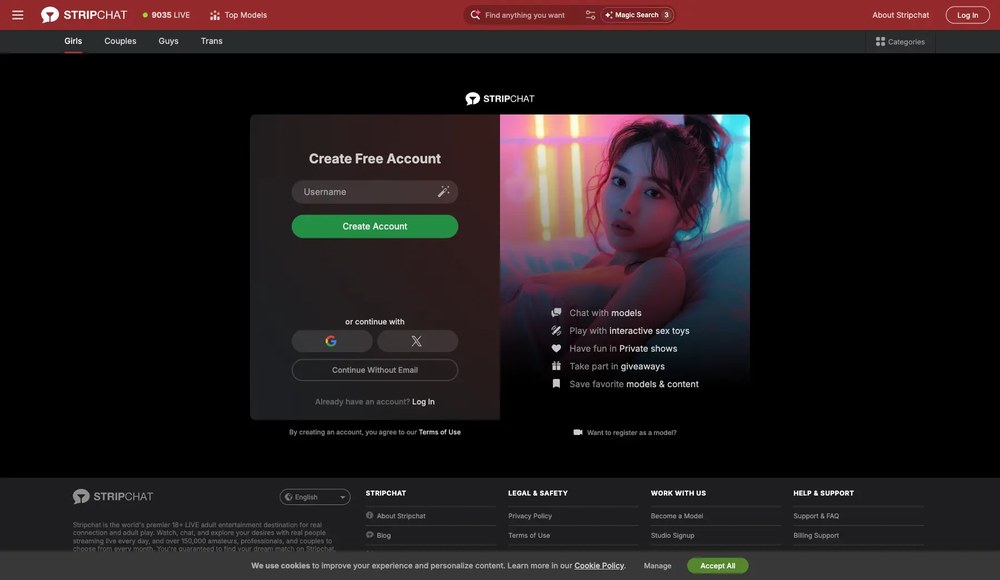
On the Stripchat homepage, click "Sign Up" (top right, white button). A modal appears — you'll see email, password, and username fields plus the age checkbox. If you're already browsing a performer's room, the same modal appears when you click the tip or favorite button.
Step 2 — Fill in your details
Email: Stripchat accepts any valid address. If you want extra privacy, a throwaway Gmail or ProtonMail alias works fine. The platform sends one confirmation email — after that, it only uses your address for password recovery and optional promotional emails. You can also skip email entirely using the "continue without email" option covered below.
Password: Minimum 8 characters. No complexity requirements enforced, but a passphrase (three random words) is both easier to type and harder to crack.
Username: See the anonymity section below for details. Short version: keep what's auto-generated unless you have a specific reason to change it.
Step 3 — Age confirmation
Check the "I am 18+" box. This is a legal requirement and cannot be skipped. Stripchat doesn't verify age during viewer signup — verification only happens if you later want to broadcast as a model.
Step 4 — Confirm email (optional but recommended)
After clicking "Create Account," Stripchat sends a confirmation link from [email protected]. You can skip this and start watching immediately — but if you ever forget your password, an unverified account is unrecoverable. Takes 30 seconds; worth doing.
| Field | Required? | Notes |
|---|---|---|
| Email address | Optional | Can use "continue without email"; needed only for password recovery |
| Password | Yes | 8+ characters; passphrase recommended |
| Username | Auto-filled | Can change once; random is safest |
| Age confirmation | Yes (checkbox) | No ID verification at signup |
| Phone number | No | Never asked |
| Credit card | No | Only needed to buy tokens |
Can You Sign Up Without an Email?
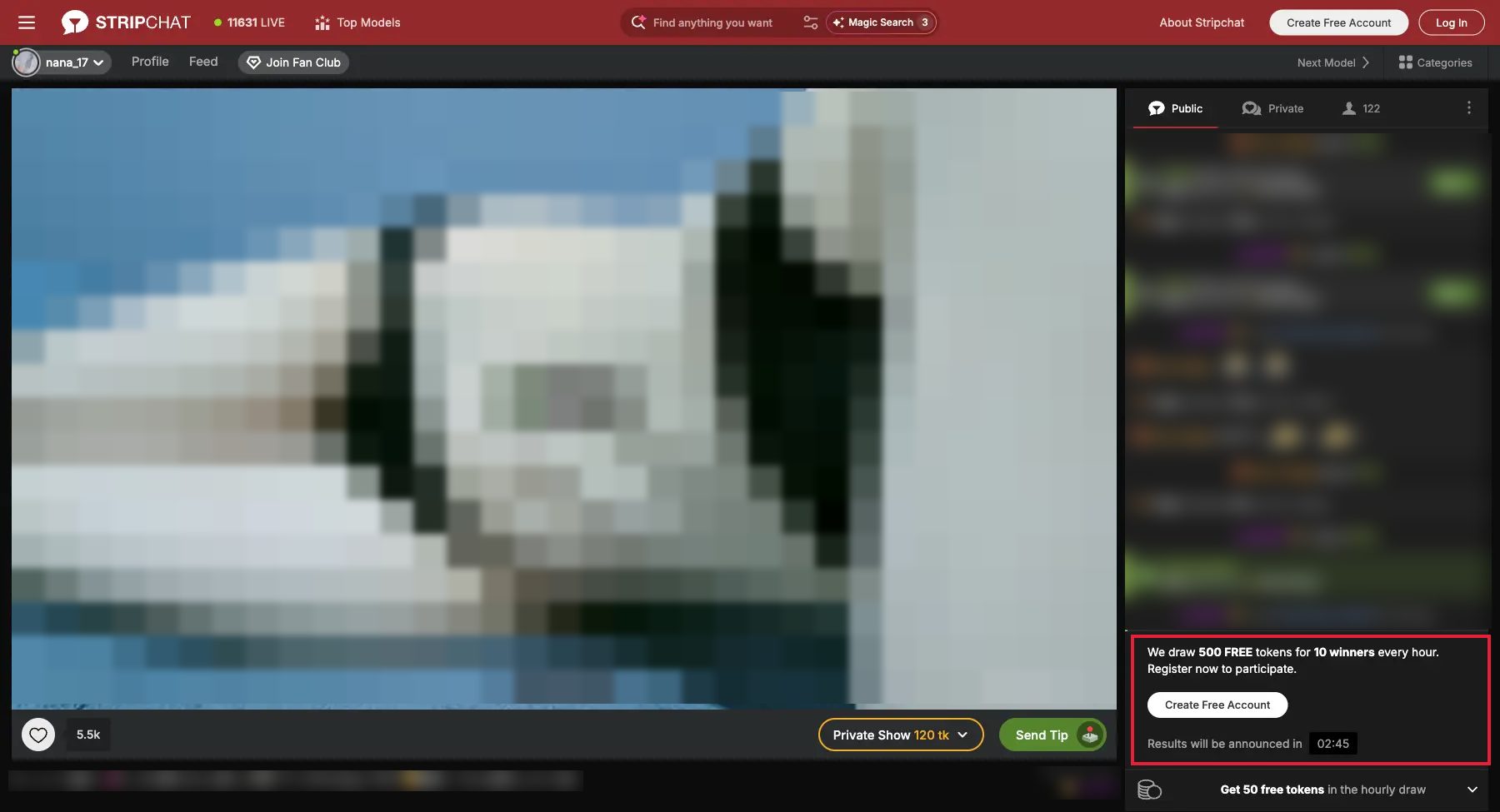
Yes. Stripchat offers a "continue without email" option directly below the email field on the sign-up form (visible in the screenshot above). Tapping it lets you create an account using only a username and password — no email address entered at all.
The trade-off is account recovery. Without a registered email, there is no way to reset a forgotten password. If you lose access to the account, it's gone. Stripchat support cannot help you recover an account with no verified contact method. For that reason, the no-email path makes sense mainly if you want a one-off session and don't plan to accumulate favorites, token balance, or a watch history you'd want back.
If you do go the no-email route, at least write down the username and password somewhere offline. And if you later decide to link an email, you can add one at any time under Settings → Account — it doesn't require starting over.
Email Confirmation Not Arriving? 3 Fixes
The confirmation email from [email protected] usually lands within 30 seconds. If it hasn't arrived after a minute, run through these three checks before giving up:
- 1Check your spam / promotions folder. Gmail in particular filters Stripchat's transactional emails into "Promotions" automatically. Search for
[email protected]across all folders, including trash. - 2Resend from Account Settings. Log in with your password, go to Settings → Security, and click "Resend confirmation email." This generates a fresh link — the original link expires after 24 hours.
- 3Try a different email provider. Some corporate or university email servers block adult content senders at the MX level. Switch to Gmail, Outlook, or ProtonMail and re-register. You can change your account email before confirming it — no need to delete and restart.
Choosing a Username: Stay Anonymous, Stay Safe
Your username is the only piece of your identity that other Stripchat users and performers ever see. It appears in public chat, on tip notifications, and in your follower list. Choosing it badly is the single most common privacy mistake new users make.
The golden rule: never use your real name, nickname, or existing social handle
This sounds obvious, but many users auto-fill the field with their usual username from other platforms. On a cam site, that handle becomes permanently associated with tip history, chat logs, and follower relationships — all of which can surface via Google if someone searches the exact string.
What to use instead:
- The auto-generated username Stripchat provides at signup — it's a random alphanumeric string with zero personal association. This is the easiest and safest option.
- A made-up handle you don't use anywhere else — e.g., "viewer_88" or "nightowl5212." The more generic, the better.
- Avoid anything containing your city, workplace, birth year, or real interests that could be cross-referenced.
Username change policy: Stripchat allows one username change per account, via Settings → Profile. After that, the name is locked. If you used your real name at signup, change it now and use something anonymous going forward.
What to Do After Signing Up (Before Spending)
You have a free account. Before you buy a single token, run through this checklist — it'll save confusion and money later.
1. Explore free rooms first (you have unlimited access)
Every public room on Stripchat is free to watch — no login even required just to browse. Tip goals, group countdowns, and Lovense toy activations are all visible from the outside. Spend 15–30 minutes watching a few performers you might want to support before committing any budget. You'll quickly learn which performers run Ticket Shows (group paid events) vs. private-heavy streams — the spending dynamic is very different.
2. Set your content filters
Stripchat's homepage shows all categories by default, including BDSM, fetish, and explicit content. You can narrow what appears via the category bar at the top or by saving tag preferences in your profile. This isn't a restriction — it just means the front page surfaces what you actually want to see.
3. Understand the token math before buying
The entry pack is 90 tokens for $9.99 (around $0.11/tk) — low-risk for a first try. Once you know you'll use them, the 520-token pack at $49.99 gives you the best per-token rate among standard packs at roughly $0.096/tk. Paying with cryptocurrency adds another 5% bonus on any pack. There is no subscription: you buy tokens when you want, spend them at your own pace, and any unused balance carries over indefinitely.
Your first purchase also gets a 25% discount — a one-time offer shown at checkout. Full breakdown and all pack sizes: Stripchat token price guide. If you want to stretch your budget further before buying, see the free tokens guide for legitimate bonus offers.
Get Tokens on Stripchat →
4. Turn on two-factor authentication
Settings → Security → Two-factor authentication. Enabling this takes 2 minutes and protects your token balance from unauthorized access. Particularly important if you use the same password across other sites.
Open Stripchat →
FAQ
Is creating a Stripchat account really free?
Yes, completely. Stripchat never charges for account creation or for watching public (free) rooms. You only spend money if you choose to buy tokens. The only thing you need to sign up is a password — email is optional.
Can you sign up without an email?
Yes. The sign-up form includes a "continue without email" link below the email field. You can create a fully functional viewer account with just a username and password. The only trade-off: without a registered email, password recovery is impossible. If you lose your credentials, the account cannot be recovered — by you or by Stripchat support. Worth it for a one-off session; not ideal if you plan to build up a favorites list or token balance you'd want to access again.
Can I sign up with a phone number instead of an email?
No. Stripchat does not offer phone number signup. Your options are: email + password, or the "continue without email" path (username + password only). If privacy is a concern, any throwaway email (ProtonMail, SimpleLogin, or a fresh Gmail alias) works fine.
What shows up on my bank statement if I buy tokens?
The billing descriptor is typically "TECHNIUS LTD" or "EPOCH" — not "Stripchat." Stripchat deliberately uses a neutral billing name for privacy. If you're still concerned, pay with a virtual card from Revolut, Wise, or Privacy.com, or use cryptocurrency.
Can I have more than one account?
Multiple viewer accounts are technically possible but against Stripchat's Terms of Service. The main practical reason people try it is to claim a second first-purchase bonus — Stripchat detects duplicate payment methods and using multiple accounts can result in both being permanently banned.
How do I delete my Stripchat account?
Go to Settings → Account → Delete Account. Deletion is permanent — your username, chat history, token balance, and favorites are removed and cannot be recovered. If you have remaining tokens, spend them first; they are not refundable after deletion.
Is Stripchat a scam or legitimate?
Stripchat is a legitimate platform operated by VS Media Inc., subject to standard content platform regulations. It has been running continuously since 2016. There is no subscription — you only spend money when you actively purchase tokens. For a full breakdown of features, pricing, and how the platform works, see our Stripchat complete guide.
Create Free Account →
Popular AV Titles
Latest AV releases with sample videos and Japanese actress profiles.
![【素人・人妻】せりなVol.017 毎度おなじみスレンダー美人人妻の自宅をついに公開。旦那が仕事で出かけてる間に・・・[前半]](https://cam-rank.com/wp-content/uploads/2026/08/cr_video_21022-300x169.webp)